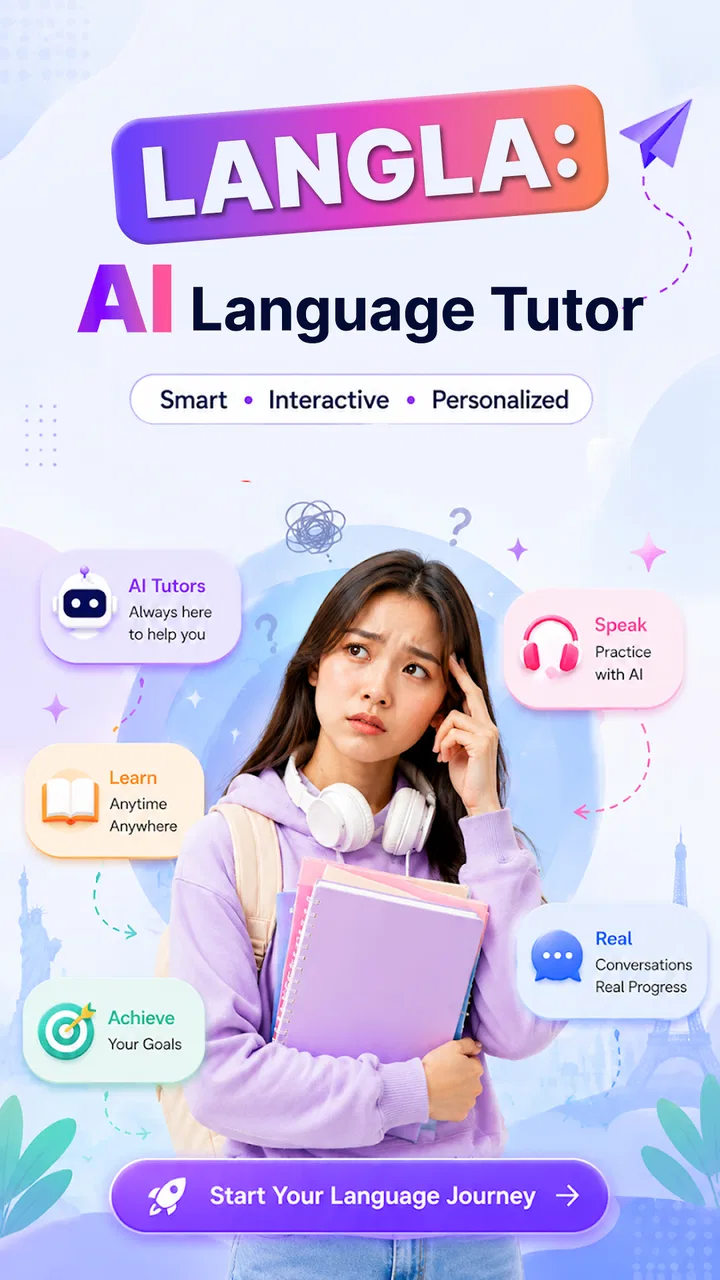
Langla: AI Language Tutor
- 4.6
- Rating
- 5.00M
- Installs
- Free
- Price

 Analysis by App-foxy
Langla: AI Language Tutor caught my attention because it tries to put several language-learning jobs in one place: conversation practice, translation, grammar help, and vocabulary work. I found that combination useful during the first few sessions, especially when I wanted to move quickly between asking a question, checking a phrase, and trying to use it myself. It feels less like opening a traditional course and more like keeping a language helper available whenever a small learning opportunity appears.
That flexibility is also the main question behind the app. A language tool can be exciting for a week and then become another icon I stop opening. My experience with Langla: AI Language Tutor is that its lasting value depends less on novelty and more on whether I give each session a clear purpose. It is a free education app from Aquaworld Infotech, rated 4.5 on average by around 5.5 thousand ratings, and it has passed one million installs. Those figures suggest that the idea has reached a substantial audience, but they do not replace the more important test: does it help me return regularly and use a language with more confidence?
What the first week feels like
The strongest early impression is convenience. Instead of switching between a translator, a grammar reference, and a speaking exercise, I can approach the app with a sentence or a question and use its language-focused tools around that need. This matters when I am learning from real life rather than following a perfectly organized lesson. A phrase from a message, a sentence I want to say at work, or a word I keep forgetting can become the starting point for practice.
You May Also Like

 Blood Strike: 2.5 Anniversary
Blood Strike’s Loadouts Turn Every Drop Into a Tactical Gamble
A close look at Blood Strike’s custom loadouts: how fast access to signature weapons reshapes its battle royale rhythm, rewards preparation, and narrows the gap between fights.

 Pandora - Music & Podcasts
Pandora’s Music Is Easy to Start, but Harder to Recover
Pandora’s strength is its low-effort path from a seed to a station. Its weak spot is how much confidence it asks you to place in connection, setup, and quiet recovery.

 8 Ball Pool
 Is Built on Rivalries, Rematches, and Routine
A close look at the rivalries, rematches, shared routines, and unanswered safety questions that turn a quick pool match into a persistent mobile community.

 Samsung Music
’s Quiet Strength Is Playing What You Already Own
Its reach comes less from spectacle than from dependable access to a personal library. That simplicity is both the app’s strongest retention engine and its ceiling.

 AccuWeather: Weather Radar
AccuWeather Review: A Quick, Clear Forecast for Everyday Decisions
For everyday plans, the best forecast is the one you can understand quickly. AccuWeather makes rain timing, radar, and local conditions easy to act on, with a few trade-offs.

 Hill Climb Racing
Why Hill Climb Racing Still Turns Crashes Into One More Run
A tiny car, a bumpy hill and one more upgrade: Hill Climb Racing keeps resurfacing because its simple chaos makes every near-miss feel personal.
More From Our News Desk



I would recommend beginning with a narrow goal rather than testing every option at once. For example, I might spend one session asking for help with everyday conversation, then use the next session to examine the grammar behind a sentence. This makes the app feel like a tutor instead of a collection of disconnected buttons. The best early workflow is to turn a translation into active practice: check the meaning, rewrite the sentence in my own words, and then try using the structure in a new situation.
That last step is important because translation alone can create a false sense of progress. If I only ask what a sentence means, I have solved a single problem. If I ask why the wording works and produce a related sentence, I have created something I may remember. Langla is more useful when I treat its responses as material to work with, not as finished answers that remove the need to think.
The chat-style approach is particularly appealing to learners who feel uncomfortable speaking with another person. I can experiment, make mistakes, and ask for a simpler explanation without worrying about interrupting anyone. For a beginner, that lower pressure may be the difference between practicing a phrase and avoiding it altogether. For a more experienced learner, the value is different: the app can provide quick prompts when there is no teacher, class, or conversation partner available.
Still, I would not mistake an AI tutor for a complete language course. A course normally gives me a planned sequence, recurring review, and a visible sense of progression. Langla is more open-ended. That freedom is helpful when I already know what I want to practice, but it can feel less decisive when I am starting from scratch and need someone else to choose the next lesson.
Turning casual questions into useful practice
One of the more practical ways to use the app is to keep a small list of situations that repeatedly cause trouble. I might collect phrases for ordering food, explaining a problem, introducing myself, or writing a short professional message. Instead of studying random vocabulary, I can ask the tutor to help me refine those specific situations and then revisit them later.
I also found it useful to separate recognition from production. First, I check whether I understand a phrase. Then I hide the explanation mentally and try to recreate the idea without looking. Finally, I compare my version with the suggested wording. This exposes a weakness that ordinary translation often hides: I may understand a sentence perfectly while still being unable to form one myself.
Grammar support becomes more valuable when I ask about contrasts rather than isolated rules. For instance, instead of requesting a broad explanation, I can bring two sentences that look similar and ask what changes in meaning or tone. This kind of question gives the app a concrete context and makes the answer easier to remember. It is a better use of an AI tutor than repeatedly asking for definitions that I never apply.
Vocabulary practice benefits from the same discipline. I would not try to collect every unfamiliar word. I would choose a few that are relevant to my current conversations, ask for natural examples, and return to them by writing fresh sentences. The trade-off is clear: the app can make vocabulary discovery easy, but remembering it still depends on the learner’s follow-through.
Why the appeal may or may not survive a month
After the first-week excitement fades, the app has to earn a recurring place in my routine. Its strongest long-term use is as a flexible practice layer around other activities. I can use a textbook for structure, a class for accountability, and Langla for quick clarification or extra conversation work. In that role, it fills gaps without needing to replace everything else.
For someone learning independently, the app can also act as a daily prompt. A short exchange about a familiar topic is easier to start than a full study session, and small sessions can keep the language present between more serious study periods. The danger is that “I used the app” may become confused with “I improved.” Reading explanations and accepting translations feels productive, but progress requires recall, correction, and repeated use.
My preferred monthly routine would have three parts. I would use chat practice to produce language, grammar help to understand recurring errors, and vocabulary work to retain words that appear repeatedly in my own needs. Translation would remain a support tool rather than the main activity. This creates a loop: notice a problem, investigate it, use the answer, and revisit the same pattern later.
That loop is one of the app’s less obvious strengths. It lets me turn mistakes from outside the app into personalized study material. A sentence I struggled with in a conversation or message is more memorable than an unrelated exercise because it already has emotional and practical relevance. The app becomes more valuable when I bring it real problems instead of waiting for it to entertain me.
There is also a useful distinction between urgent and maintenance sessions. An urgent session answers a question I need right now. A maintenance session revisits a handful of phrases or grammar points before they disappear. Langla is naturally good at the first kind, while the second requires more self-management from me. Anyone expecting the app to organize every review automatically may find that the habit weakens quickly.
Compared with a conventional flashcard app, Langla feels broader and more conversational, but potentially less rigid. Compared with a translation app, it offers a better opportunity to ask follow-up questions and explore grammar or usage. Compared with a live tutor, it is more available and less intimidating, but it cannot provide the same human judgment, personal relationship, or real conversational pressure. I see it as a bridge between reference tools and guided practice, not a universal replacement for either.
The maintenance burden is small, but real
The app is free to install, which makes trying it easy, although optional in-app purchases range from $9.49 to $229.99 per item. I would pay attention to the purchase screen before committing to any extended use and decide what level of access fits my routine. A free starting point lowers the risk of experimenting, but the possibility of paid items means I would not assume every useful part of the experience is permanently included without checking the available choices.
On the technical side, the current version is 1.0.54 and it runs on Android 8.0 or later. That broad compatibility is helpful for people using older Android phones. Because the app is designed for repeated practice, I would also keep my expectations realistic about the maintenance involved: I need to open it consistently, phrase questions clearly, and actively use the answers. The app reduces the friction of finding help, but it cannot remove the effort of learning.
My biggest maintenance tip is to define the smallest repeatable session. Five focused minutes spent producing sentences can be more sustainable than opening the app with the vague intention to “study languages.” I would choose one topic, make a few attempts, inspect the corrections, and stop while the task still feels manageable. That approach protects the habit from becoming a daily obligation I eventually avoid.
Another useful habit is keeping a personal error trail outside the immediate conversation, whether in a note or another study system. I would record only patterns that recur or matter to my goals. Without that step, helpful explanations can vanish as soon as I close the app. This is a genuine trade-off: Langla makes exploration easy, but the learner has to decide what deserves long-term retention.
Where fatigue begins
The first source of fatigue is open-endedness. When I am motivated, the freedom to ask anything feels liberating. When I am tired, it creates one more decision: what should I practice, how should I phrase the question, and how do I know whether the answer is enough? A structured course is often better on those days because it removes the need to design my own lesson.
The second is the risk of passive use. Translation and explanations can make a session feel smooth because I am always receiving information. Yet language ability depends heavily on retrieving words under pressure. I have to deliberately ask myself to answer before reading the suggestion, rewrite examples, and revisit mistakes. If I do not, the app can become an intelligent reference book rather than a training tool.
AI-generated language help also deserves careful judgment. I would treat a response as a useful draft and ask follow-up questions about tone, formality, and context, especially when a sentence is intended for work or an important message. A phrase can be understandable without being the most natural choice for a particular relationship or situation. Human feedback remains preferable when accuracy, nuance, or cultural sensitivity carries serious consequences.
Another limitation is emotional and conversational realism. Practicing with an app can reduce anxiety, which is valuable, but it does not fully reproduce the unpredictability of a person who speaks quickly, changes direction, misunderstands me, or expects an immediate response. Learners who need confidence for real conversations should eventually combine this kind of practice with listening to people and speaking to people.
I would also skip Langla as my main solution if I need a formal curriculum with examinations, teacher assessment, or guaranteed progression through a defined syllabus. It may still help with supplementary practice, but a dedicated course or instructor would be a better foundation. Likewise, if I only need an occasional one-line translation and have no interest in studying, a simpler translator may be faster and less distracting.
Who will keep using it?
I think Langla suits curious learners who want immediate help and are willing to turn that help into active practice. It is especially appealing to people who dislike the pressure of live correction, need flexible study around an irregular schedule, or regularly encounter language in messages, travel planning, work, and entertainment. The Everyone age rating also makes it approachable for a broad audience, though the right learning method still depends on the user’s goals and independence.
A realistic everyday example would be preparing for a short trip. In the morning, I could ask about polite phrases for a hotel or restaurant. Later, rather than saving the translated answers and forgetting them, I could practice changing the details: asking about a different item, explaining a preference, or responding to a likely question. In the evening, I could review the grammar behind one troublesome sentence. That sequence gives the app a practical role throughout the day instead of treating it as a one-time lookup tool.
For a busy adult, another good use is preparing a message before sending it. I can write what I want to say, ask for corrections, compare a neutral version with a more casual one, and then decide which sounds like me. The important boundary is that I should understand the final sentence rather than copy it blindly. This workflow can improve clarity while still keeping responsibility for the communication in my hands.
For a student, I would use it alongside classwork rather than instead of it. A confusing grammar point can be explored in plain language, and vocabulary from homework can be placed into new examples. But I would still rely on the teacher or course materials for the official explanation and expected curriculum. The app is strongest when it makes practice more available between lessons.
For a complete beginner, I would start with concrete situations and short exchanges. Broad prompts such as “teach me the language” are likely to produce a less satisfying experience because they leave the direction unclear. Beginners need to decide whether they want survival phrases, pronunciation-related guidance, sentence building, or basic vocabulary, then keep each session narrow enough to finish.
For an advanced learner, the benefit shifts toward nuance and flexibility. I would use it to test alternative wording, explore register, and challenge myself to express the same idea in different ways. At that level, I would be more demanding about checking context and naturalness, because small differences matter more than simple correctness.
My long-term verdict
Langla earns a place on my device when I treat it as a practice companion rather than a magic shortcut. The first-week appeal comes from having chat, translation, grammar, and vocabulary support close together. The month-to-month value comes from bringing it real language problems and using its responses actively. The maintenance burden is manageable, but it belongs to me: I must create a routine, retrieve answers from memory, and decide which lessons are worth keeping.
I would not choose it as the only tool for a serious, fully structured language plan, and I would be cautious about relying on AI wording for sensitive communication without checking the context. Those are meaningful limitations, not minor footnotes. Still, for flexible practice between classes, quick explanations, and low-pressure experimentation, the app offers more lasting value than a novelty chatbot that has no connection to daily needs.
The deciding question is simple: will I use it to produce language, or only to consume answers? If I am prepared to write, respond, compare, and revisit, Langla can support a durable habit. If I want a course to carry the entire plan for me, another option will probably be a better fit. My recommendation is therefore positive but specific: try it as a hands-on language workshop, keep sessions focused, and judge it after the initial excitement by whether it helps me return and communicate more independently.
FAQs for Langla: AI Language Tutor
01What is Langla: AI Language Tutor, and how does it work?
Langla: AI Language Tutor is an AI-powered language-learning app designed to help users practice vocabulary, grammar, pronunciation, and everyday conversation. Instead of relying only on fixed lessons, it can provide interactive exercises and conversational guidance tailored to your level. The exact learning tools, supported languages, and available practice modes may vary depending on the current app version and your device.
02Which languages can I learn with Langla: AI Language Tutor?
The languages available in Langla may depend on the app’s latest update, your region, and the selected learning plan. Before downloading, check the official store listing to confirm that your target language is supported. It is also worth checking whether the app supports your preferred interface language, since instructions, translations, speech recognition, and conversation features may not be equally available for every language pair.
03Is Langla: AI Language Tutor free to use?
Langla may offer free access to some lessons or introductory features, while advanced practice tools, extended conversations, additional content, or usage limits may require a subscription or in-app purchase. Pricing and trial conditions can change, so review the current Google Play or App Store information before subscribing. Pay particular attention to renewal terms, cancellation rules, and whether a free trial automatically converts into a paid plan.
04Does Langla require an internet connection or access to personal data?
Because Langla uses AI-based language assistance, several features may require an active internet connection to process questions, generate replies, or evaluate spoken practice. The app may also request microphone access if you use pronunciation or voice-conversation tools. Review its privacy policy and permission requests before use, especially if you plan to share voice recordings, written messages, or other learning information with the service.
05Is Langla suitable for beginners, and can it replace a language teacher?
Langla can be useful for beginners because AI-guided practice allows learners to review basic words, receive explanations, and build confidence through repeated conversations. However, it should be treated as a supplementary learning tool rather than a complete replacement for a qualified teacher. AI feedback can occasionally be incomplete or inaccurate, so structured courses, authentic listening materials, and human correction remain valuable for serious or advanced study.
Pros
- Personalized practice adapts to your language level and learning goals.
- AI conversations provide flexible speaking practice without scheduling lessons.
- Instant corrections help identify grammar
- vocabulary
- and pronunciation mistakes.
- Short interactive sessions fit easily into daily study routines.
- Useful for practicing real-life dialogues in a low-pressure environment.
Cons
- AI feedback may occasionally misunderstand context or accept unnatural phrasing.
- Advanced features or extended practice may require a paid subscription.
- Speaking exercises depend on clear microphone input and a quiet environment.
- The app cannot fully replace nuanced feedback from a human language teacher.
- Progress may feel limited if you rely only on AI conversations without structured study.

Langla: AI Language Tutor
Gallery